 Calorie Lens
What you eat.
Simply recorded.
Estimate calories from food photos with AI. Review and edit the result before saving, then look back on your meals at your own pace.
Google Play: 2026-11-10 · App Store: 2026-11-10 · For ages 18 and over
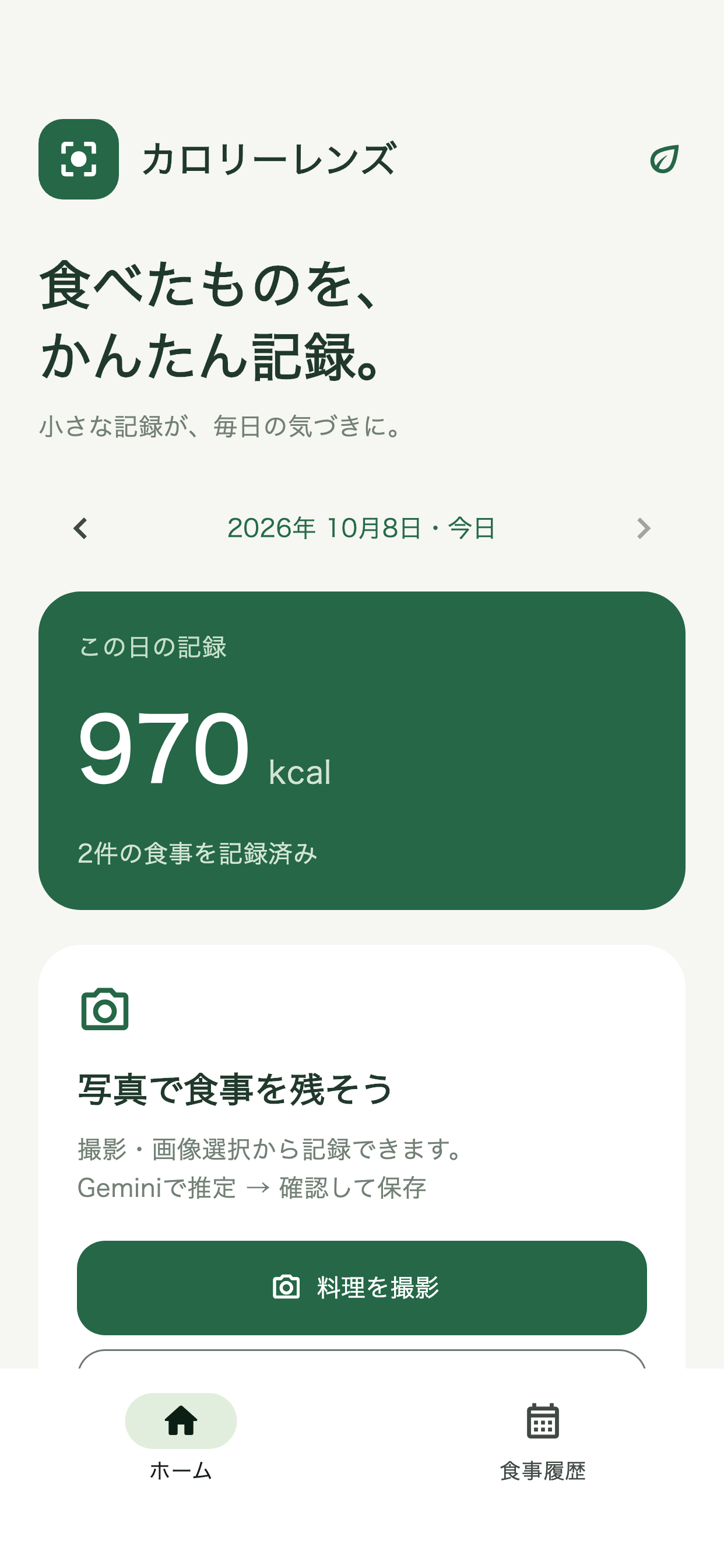
Three features for everyday use.
Estimate calories from photos
Analyze a new or selected food photo with AI to get an estimated dish name and calorie count.
Review, edit and save
Edit estimated results before saving. You can also enter a dish name and calories manually without a photo.
Review your meals by day
See daily calorie totals and meal history. Meal records are stored on your device.
Getting started is simple.
Photograph your meal or choose a photo on your device.
Check the estimated dish name and calories, and make changes if needed.
Save the meal and check daily totals and history.
Frequently asked questions
Do I need an account?
No account registration is required. Meal records are stored on your device.
Are AI calorie estimates accurate?
Estimates can be inaccurate. A photo alone cannot determine quantities or ingredients, so please review and adjust results.
Where are photos sent for AI analysis?
When you run an analysis, the selected photo is sent to Google Gemini through Cloudflare. AI analysis requires an internet connection.
For details, please see our Privacy policy ↗.
Make Calorie Lens part of your day.
Explore the app in a store where it is available.
Google Play: 2026-11-10 · App Store: 2026-11-10
A food diary app for people aged 18 and over. AI results are estimates and accuracy is not guaranteed. It is not a medical device and is not intended for diagnosis, treatment or prevention.